Your shared recipe book
A recipe book everyone in the household can see. Recipes come in by photo, web link or video link, the week gets planned, and the shopping list falls out of it by itself. It syncs over iCloud, without anyone creating an account. For iPhone, iOS 17 or later.


What Culinoria does differently

How a recipe gets in
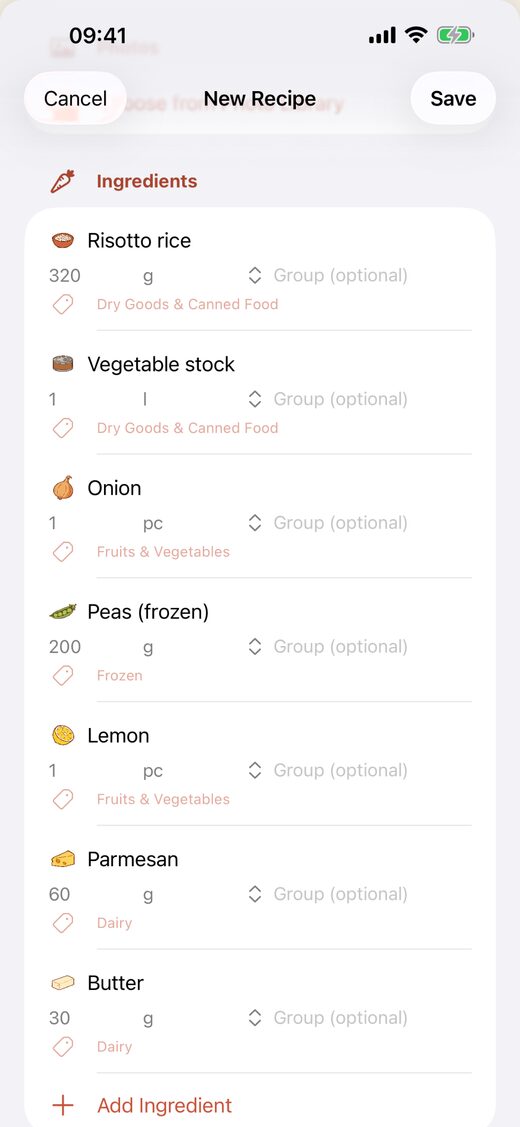
Photograph a cookbook page or a handwritten card, paste a web link, or share a video from YouTube, TikTok, Instagram or Pinterest into Culinoria. What comes back is a draft with ingredients, quantities and preparation steps.
You always see that draft before anything is saved, and you can edit every line. There is no path that skips the check.
Translated as it is imported
A recipe from a German or Italian page arrives in the language you picked, with cups and Fahrenheit converted into grams and degrees Celsius. That happens in the same step as the capture, not as a second button afterwards. Regional variants of a language are taken into account; in Austria many ingredients have different names than in Germany.
One household, one set of data, no second account
Recipes, meal plan and shopping list all live in a single iCloud share. You invite your family through Apple's share sheet, the way you share a photo album: no second account, no extra password. Whoever ticks something off in the supermarket ticks it off for everyone.
And day to day
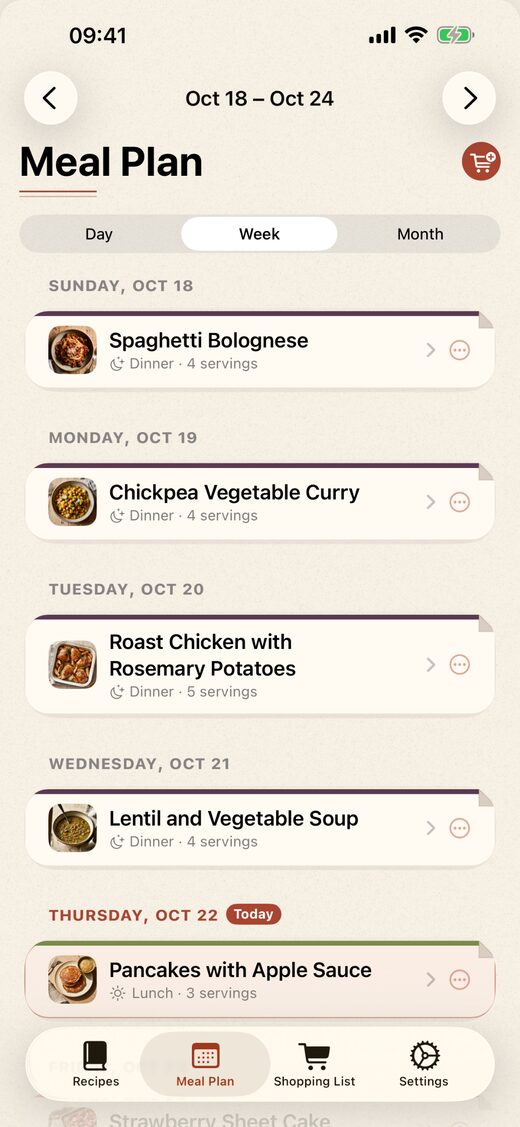
- Meal plan in a day, week or month view; recipes land on a day and a meal slot with a tap.
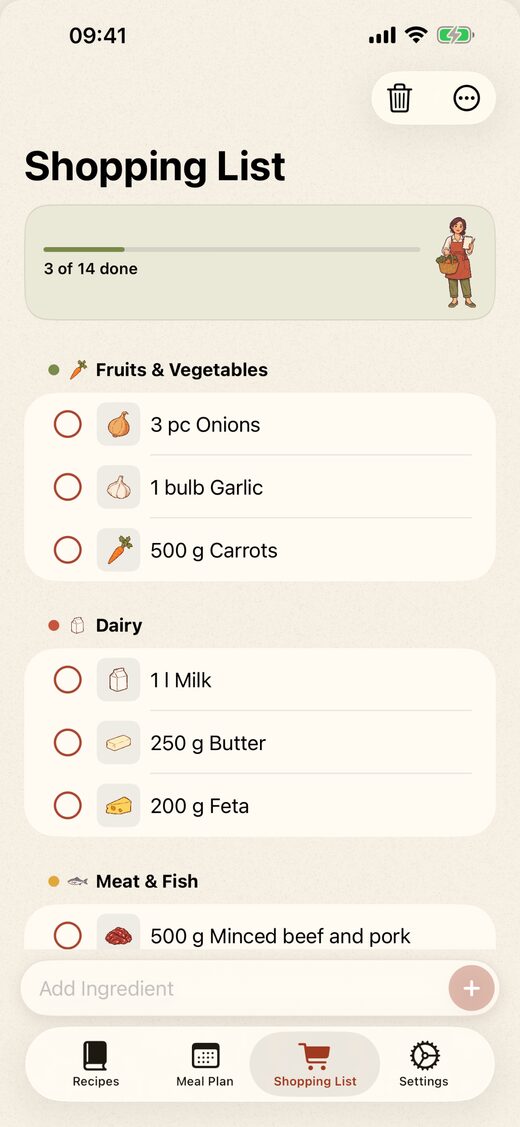
- A shopping list built from any date range you pick, with identical ingredients added up and the number of servings adjustable beforehand.
- Your own shopping categories, which you can rename and reorder. Ingredients you always have at home get marked as staples — recipes then stop putting them on the list.
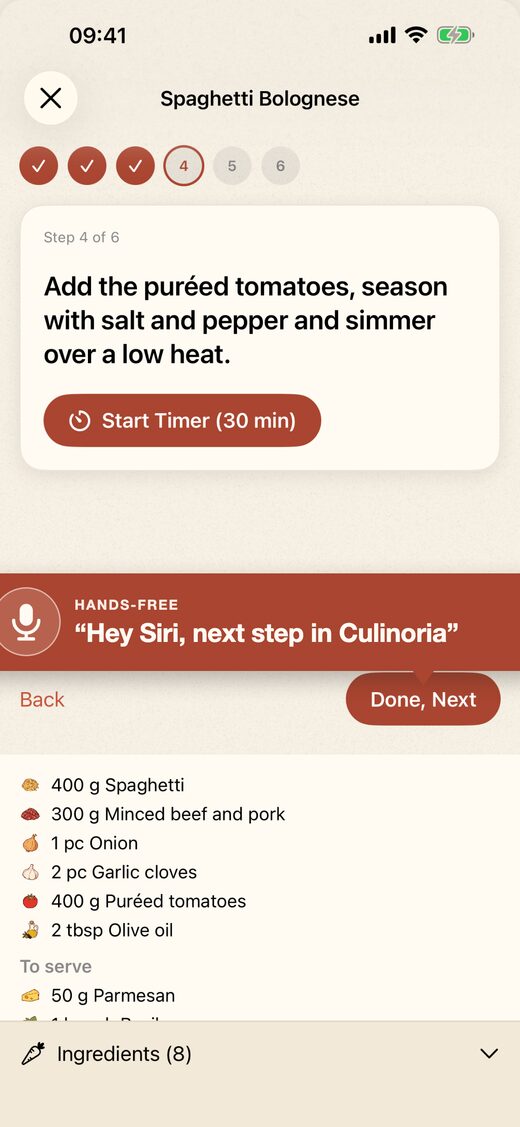
- Cook-along: one step per screen, the display stays awake, ingredient quantities visible without scrolling, timers keep running. Turn the page with "Hey Siri, next step in Culinoria" while your hands are covered in flour.
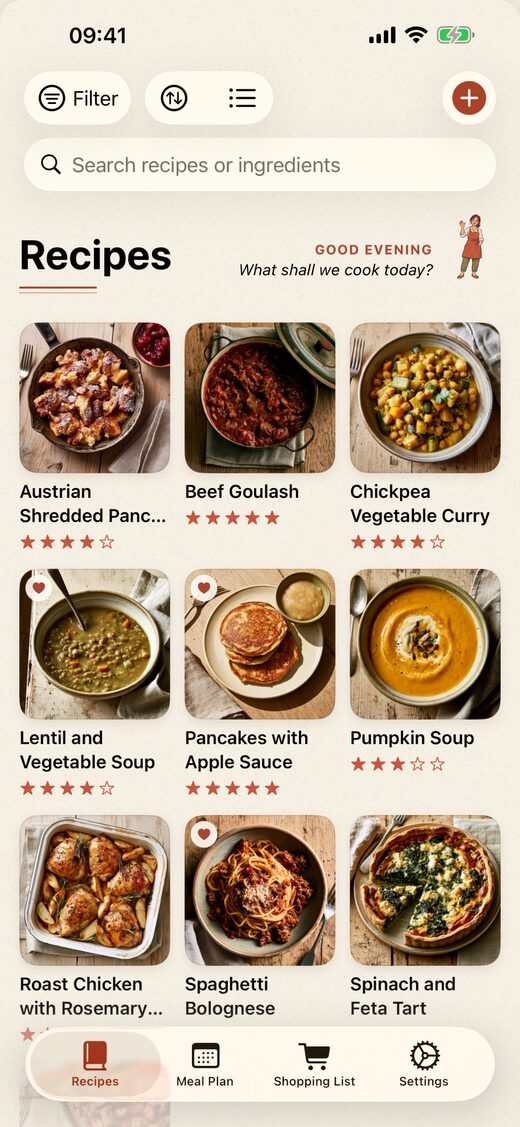
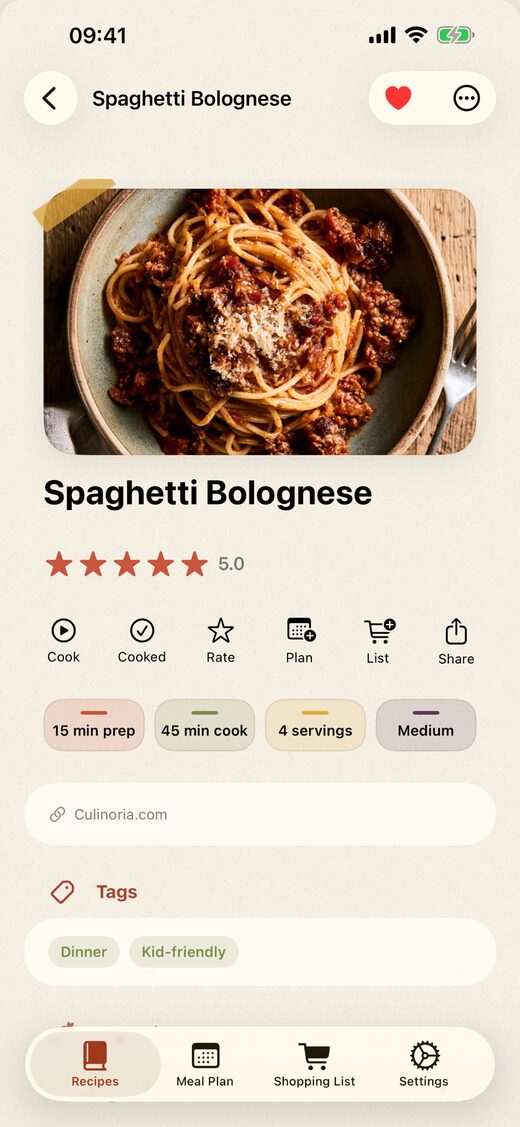
- Favorites, tags, filters, search, sorting, list or grid view, cooking history, ratings.
- Print recipes and the shopping list, export a backup file and read it back in, import recipes from Paprika.
- Six languages: German, English, French, Spanish, Italian, Chinese.
Price
The app is free
Creating, editing, tagging, rating and printing recipes. Meal plan, shopping list, cook-along, household sharing, serving calculator, backup, import from Paprika. No limit on how many recipes, no ads, no user account.
The AI features are a subscription
Import by photo, web link and video, translation and unit conversion during import, the nutrition estimate. Shopping-list merging and sorting run locally and are free.
Monthly or yearly. The exact price in your currency is shown in the App Store — it depends on the country, which is why no figure is given here.
A subscription covers the household shared in Culinoria. A subscriber unlocks it for all members; they share 200 AI imports per calendar month. Without a subscription there are 5 free AI imports in total.
Five AI imports are free, so you can see the result before you decide. Recipes you have already imported stay with you after a subscription ends; only new AI imports are locked.
What Culinoria cannot do
- Built for iPhone, iOS 17 or later. On iPad it runs in an iPhone-sized window. No Android app, no web version, no Mac app.
- The AI imports need an internet connection. Everything else — reading and editing recipes, the meal plan, the shopping list, the cook-along view — works without one.
- Nutrition values are an estimate based on the ingredients that were recognized, not a lab analysis and not dietary advice. You can correct them by hand.
- For video imports, the video description and the pinned comment are read, not the audio track and not the picture. If the recipe is only spoken aloud, nothing arrives.
- Automatically recognized quantities can be wrong. That is why there is a review step before saving, and a reminder to check allergens and cooking temperatures yourself.
- No recipe discovery, no feed, no collections from other people. Culinoria only manages what you put into it yourself.
Common questions
Why is there no Culinoria for Android?
Culinoria is built on Apple's own technology: household sharing runs over iCloud, without Culinoria creating any user accounts of its own. That is exactly the part that cannot be carried over to Android — there it would need its own account and server system, meaning registration, passwords and recipe data on our servers. An Android version is not currently planned, and neither is a web version or a Mac app.
Why a subscription and not a one-time purchase?
Because the AI features cost money every time they are used. A photo or web-link import sends the image or the text to a language model, and every single import is billed. With a one-time purchase, the most loyal user would be the most expensive one.
So everything that causes no running costs — creating and editing recipes, the meal plan, the shopping list, the cook-along view, household sharing — is permanently free, and only the AI features depend on the subscription.
What happens to my recipes when I end the subscription?
They stay. Every recipe you have imported or created lives on your device and in your iCloud account and is unchanged and usable after a subscription ends: read, edit, plan, shop, cook, print, export.
Only new AI imports are locked. There is no recipe limit that kicks in after the subscription ends, and nothing is greyed out or deleted.
Does Culinoria work offline?
Almost all of it, yes. Reading and editing recipes, the meal plan, the shopping list, the cook-along view with its timers, printing and export all work without an internet connection — the recipes live on the device.
Two things need the internet: the AI imports, because a service outside the device does the work, and syncing with the other devices in the household, which catches up as soon as there is a connection again.
Does every family member need their own subscription?
A subscription covers the household shared in Culinoria. A subscriber unlocks it for all members; they share 200 AI imports per calendar month. Without a subscription there are 5 free AI imports in total.
How well does the import recognize a recipe?
Well enough that correcting it is faster than typing it out — and not so well that you should save it unchecked. That is why you see a draft after every import and can edit every line before anything is saved.
Photos of handwriting need more correcting than a clean recipe page; with videos it depends on how completely the recipe is written out in the description.
What happens to my data?
Recipes, meal plan and shopping list live on your device and in your private iCloud account. Culinoria has no user accounts, no analytics or advertising SDK, and no recipe database on servers of its own.
During an AI import, exactly the data of that import — the photo or the page text — goes through our server to the Anthropic Claude API and is not stored there permanently. You agree to this once, before it happens for the first time. The details are in the privacy policy.
Can I move over from another recipe app?
From Paprika, yes, directly: its export files can be read in from Settings. For other apps there is no dedicated import path — what remains is the web-link import, if the recipes are online, and photographing them. There is no duplicate detection during a move; whatever arrives twice has to be deleted by hand.
Who is behind Culinoria?
One person: Christopher Hader, a solo developer in Austria, no team. I built Culinoria for my wife and me first, because our recipes were scattered across handwritten cards, old cookbooks, bookmarks, other cooking apps and videos we never found again. We have run our kitchen on it daily for months, with the weekly plan and the Saturday shop, and a handful of family and friends have been testing it.
A large part of the code was written with AI tooling; I review and test every change myself before it goes out. If something breaks, I am the one who hears about it first, at home.
Contact
Questions, bugs, requests: support@culinoria.com. The person who built the app is the person who answers.